Table of Contents
- Why most weekly plans fail for parents
- The core idea: plan capacity, not tasks
- The three-zone method
- Building the week: a 15-minute Sunday ritual
- Why we switched to a digital wall display for this
- Where this breaks down – and how to fix it
- When the plan falls apart midweek: resetting without guilt
- Adapting the method to different family situations
- Involving kids in weekly planning by age
- Seasonal adjustments: school terms, holidays, and shifting sports seasons
- A sample week, start to finish
- Frequently Asked Questions
- Bottom line
Most weekly plans die within two weeks. Not because the parents using them lack discipline, but because the plan itself was built wrong from the start – as a list of tasks rather than a map of capacity. This is the method we keep coming back to, because it's the only one that survives contact with a sick kid, a late meeting, or a Tuesday that simply refuses to go as planned. My personal take, after trying more planners than I'd like to admit, is that most of them fail for the exact same structural reason – they were never designed with unpredictable days in mind.
Why most weekly plans fail for parents
Most planning systems are borrowed from the workplace: a task list, a deadline, a checkbox. That works reasonably well when your day belongs mostly to you. It breaks down almost immediately in family life, where a meaningful share of every day is claimed by other people's needs – a toddler's nap schedule, a school pickup time, a partner's shift change, a baby who decides 4 a.m. is a fine time to be awake.
The result is a familiar pattern: you build a tidy list on Sunday night, feel briefly in control, and by Wednesday the list is not just behind schedule – it's actively making you feel worse, because now on top of the original stress you also carry the guilt of an unfinished plan staring back at you.
The problem isn't your follow-through. It's that a task list has no concept of capacity. It assumes every day has the same amount of usable time and energy, when in reality some days have two usable hours and others have seven.
The core idea: plan capacity, not tasks
What convinces me about this reframe more than any other planning trick I've tried is how little it demands of you upfront. The shift that makes a weekly plan actually hold up is small but fundamental: instead of asking "what do I need to get done this week," ask "how much room does each day actually have, and what deserves to fill it." This single reframe changes almost everything about how you build the week.
In practice, this means every day gets sorted into how much flexible capacity it realistically has – before you assign anything to it. A day with a full-time work shift and an evening swim lesson has very little room. A day with no fixed appointments has a lot. Once you know the shape of the week, you stop trying to force ten tasks into a day that only has room for three.
The three-zone method
We organize every day into three zones. Writing them down separately – even just with three different colored pens or three columns on a page – does more to keep a plan realistic than any app feature we've tried. If I had to defend one part of this whole method to a skeptic, it would be this three-way split – everything else is really just details around it.
Zone 1: Fixed points
These are the non-negotiables: school drop-off, work hours, recurring appointments, sports practice, the times your children need to be picked up. Fixed points don't move, and importantly, they are not "tasks" in the sense of things you complete – they are the scaffolding the rest of the day has to fit around. Write these in first, before anything else touches the page. This alone prevents the most common planning mistake: filling a day with intentions before you've acknowledged what's already spoken for.
Zone 2: Flexible tasks
This is everything that needs to happen this week but doesn't have to happen on a specific day: groceries, a birthday present to buy, laundry, a work project, meal prep, returning a phone call. The key rule is to write these on the week as a whole first, not on individual days. Only once you can see the full week's fixed points do you start slotting flexible tasks into the days that actually have room – and even then, no day should carry more than two or three flexible tasks. If a day already has three fixed points, it gets zero flexible tasks. That's not a failure of ambition; it's the entire point of the method.
Zone 3: Buffer
Honestly, I'm not a fan of any planning approach that treats buffer as optional or as a nice-to-have – in my experience it's the single load-bearing piece of the whole system. This is the zone almost every planning system skips, and it's the one that makes the biggest difference. Buffer is deliberately unplanned time – space left empty on purpose, to absorb the things that always come up: a fever, a forgotten permission slip, a meltdown that eats forty-five minutes, a delayed train. Aim for at least one buffer block of 30–60 minutes most days, and one entirely light day per week with almost nothing scheduled beyond fixed points. Buffer isn't wasted time. It's what keeps one disruption from knocking over the rest of the week like dominoes.
Building the week: a 15-minute Sunday ritual
The three-zone method only works if the weekly setup itself is fast and low-friction. Here's the version we use, broken down minute by minute:
Minutes 1–3: Brain dump. Write down everything on your mind for the coming week, in any order, without sorting it yet. Appointments, errands, work deadlines, things your kids need, things you've been meaning to do for weeks. Don't filter anything out at this stage.
Minutes 4–7: Fixed points first. Go through a calendar view of the week and mark every non-negotiable time block – for every family member whose schedule affects yours. This includes your partner's commitments if they affect childcare coverage.
Minutes 8–9: Rate each day's capacity. Quickly mark each day as high, medium, or low capacity based on how many fixed points it already has. This step takes seconds once you're used to it, and it's the step that prevents overloading.
Minutes 10–13: Sort the brain dump into flexible tasks and buffer. Take your list from step one and assign items only to medium- or high-capacity days – never more than two or three per day. Anything that doesn't fit gets pushed to next week without guilt. A task that doesn't fit this week's capacity was never going to get done well this week anyway.
Minutes 14–15: Confirm buffer exists. Look at the week as a whole and check that every day has at least a small buffer block, and that one day is intentionally light. If not, remove something from the flexible list until that's true.
Why we switched to a digital wall display for this
My own view here is a bit stronger than the average buying guide: paper and phone apps each solve half the problem. A paper wall planner is always visible but static – if Tuesday's plan changes at 8 a.m., everyone still walking past the fridge sees Monday's version until someone physically erases and rewrites it. A phone calendar updates instantly but is invisible by default – nobody sees a change unless they actively unlock their phone and open the app, which is exactly the extra step that turns a "shared" plan into the thing only one parent actually tracks.
A dedicated digital wall display closes that gap by doing what a phone app can't and what paper can't, at the same time: it hangs on the wall like a planner – always on, always visible, glanced at the way a clock is – but updates itself the moment either partner changes something from their phone, with no rewriting required. The good ones split the screen into exactly the kind of zones this method needs: a calendar view for fixed points, a tasks section per family member for flexible tasks and buffer, plus meals and shared lists, so the three-zone structure has a permanent home instead of living across three different apps.
On price: the model we ended up with sits at the premium end of this category, and we think that's justified for a few specific reasons rather than in general. A bigger 15.6" screen actually holds a full week's worth of fixed points, tasks, and buffer legibly from across the kitchen, where smaller displays start to feel cramped once two or three schedules are layered in. It's also developed with input from psychologists specifically on the family-planning and rewards features, which shows in details like how tasks are framed for kids rather than just copied from a generic to-do template. And for a device that's going to sit on your kitchen wall syncing your family's schedule, we'd rather pay for one with servers in Germany and GDPR-compliant data handling than hand that same information to a cheaper device with no stated privacy policy. Several retailers also offer 0% installment financing over a few months, which softens the one-time cost.
The Display We Use for This
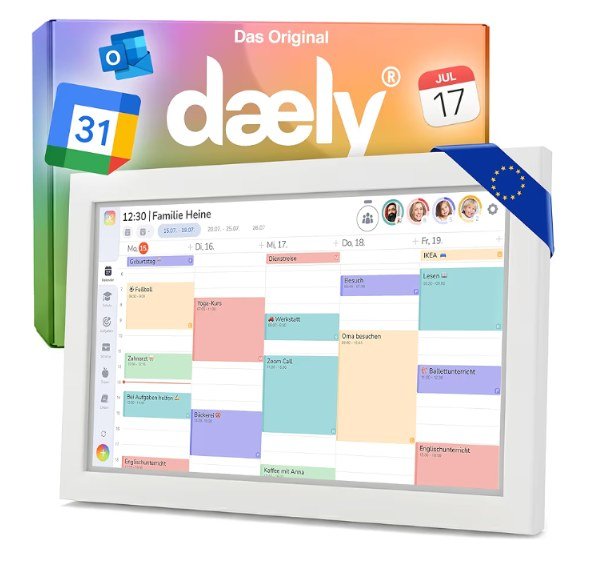
dæly Calendar – Digital Family Planner (15.6")
Touchscreen wall display with day/week/month calendar, per-person tasks, meals, and shared lists, plus a companion iOS/Android app. Servers in Germany, GDPR-compliant, co-developed with psychologists, ongoing feature updates.
I recommend this one specifically over cheaper alternatives because the larger screen and the German-server privacy setup are the two things I wasn't willing to compromise on for something that syncs a family's schedule around the clock.
Where this breaks down – and how to fix it
"I still can't fit everything in."
This is the complaint I hear most often, and my honest answer is usually the least popular one. This is almost always a sign that too much is being treated as a flexible task when it should be delegated, dropped, or moved to a different week entirely. Try a hard cap: no more than three flexible tasks per medium-capacity day, one per high-fixed-point day. If your full list never fits under that cap across a whole week, the problem isn't your planning – it's your week's total capacity, and it's worth having a conversation about redistributing load rather than squeezing harder.
"My week gets derailed by 10 a.m. Monday."
This usually means buffer was skipped or was too small. A single 30-minute buffer block rarely survives a genuine emergency. If disruptions are frequent in your household – a chronic condition, a baby not yet sleeping through the night, an unpredictable work schedule – build buffer as its own zone at 90 minutes a day rather than 30, and treat "light days" as mandatory, not optional.
"I do the planning but my partner doesn't look at it."
A plan that lives only in your head or your app isn't a shared plan – it's a to-do list you're now also responsible for communicating. This is the single biggest reason we recommend a visible wall planner over an app for the fixed-points and flexible-tasks layer specifically: anything both partners walk past daily gets absorbed passively, without you having to repeat it.
When the plan falls apart midweek: resetting without guilt
This is the section I'd want every parent to bookmark, because sooner or later it applies to everyone. Even with buffer built in, some weeks blow past whatever capacity you planned for entirely: a child running a high fever for three days straight, a daycare closure with no warning, a bug that flattens you for 48 hours. No buffer block survives weeks like that, and the mistake most parents make next is trying to rescue the original plan — cramming everything that got dropped into whatever days are left, the moment things settle down even slightly.
That almost always turns one bad week into two, because the second week now carries both its own load and the full backlog from the first. The better move is a deliberate reset rather than a catch-up sprint.
The 5-minute reset
Once it's clear the week has gone off the rails — usually by the second day of disruption — a short reset beats trying to power through: look at the days that remain and ask exactly one question about each dropped item — does this genuinely need to happen this week, or can it move to next week entirely. Anything that lands on "can wait" gets pushed immediately, no further deliberation. What's usually left is a very short list of true fixed points plus maybe one or two things that truly can't wait.
The important part is treating this shortened rest-of-week plan as the correct response to a week that went differently than planned, not as a failure. A week that runs at 40% of plan because half of it was deliberately cut is a better outcome than a week that tries to run at 100% and burns everyone out in the attempt.
Why "catching up" rarely works
The instinct to simply tack missed tasks onto the next open days overlooks that those days already had their own capacity before the backlog arrived. A Wednesday that originally had room for two flexible tasks doesn't suddenly double that room just because Monday and Tuesday fell apart. Load it with four or five carried-over items anyway, and you recreate the exact problem the three-zone method exists to solve — one week later, and with less patience to spare, because everyone's already worn down.
It's more workable to jot down, at the end of a derailed week, what's genuinely still outstanding and feed that straight into the next Sunday ritual — as part of the normal brain dump, not as a special case that piles on extra pressure.
Adapting the method to different family situations
Two working parents
My personal take is that this setup is the easiest to get right, precisely because there are two people to catch what one misses. Do the 15-minute Sunday ritual together, or do it separately and then merge for five minutes. The fixed-points step is non-negotiable to do jointly – this is where invisible scheduling conflicts surface before they become Wednesday-morning surprises.
Single parents
Buffer matters even more here, because there's no second adult to absorb an unplanned disruption. We'd recommend erring toward one full light day per week rather than scattered small buffer blocks – a single larger reserve is easier to actually use than several small ones.
Shift work
Capacity rating becomes the most important step, since "high" and "low" capacity days shift constantly. Re-rate capacity every time a shift schedule changes rather than trying to build a template that repeats week to week.
Multiple kids with different schedules
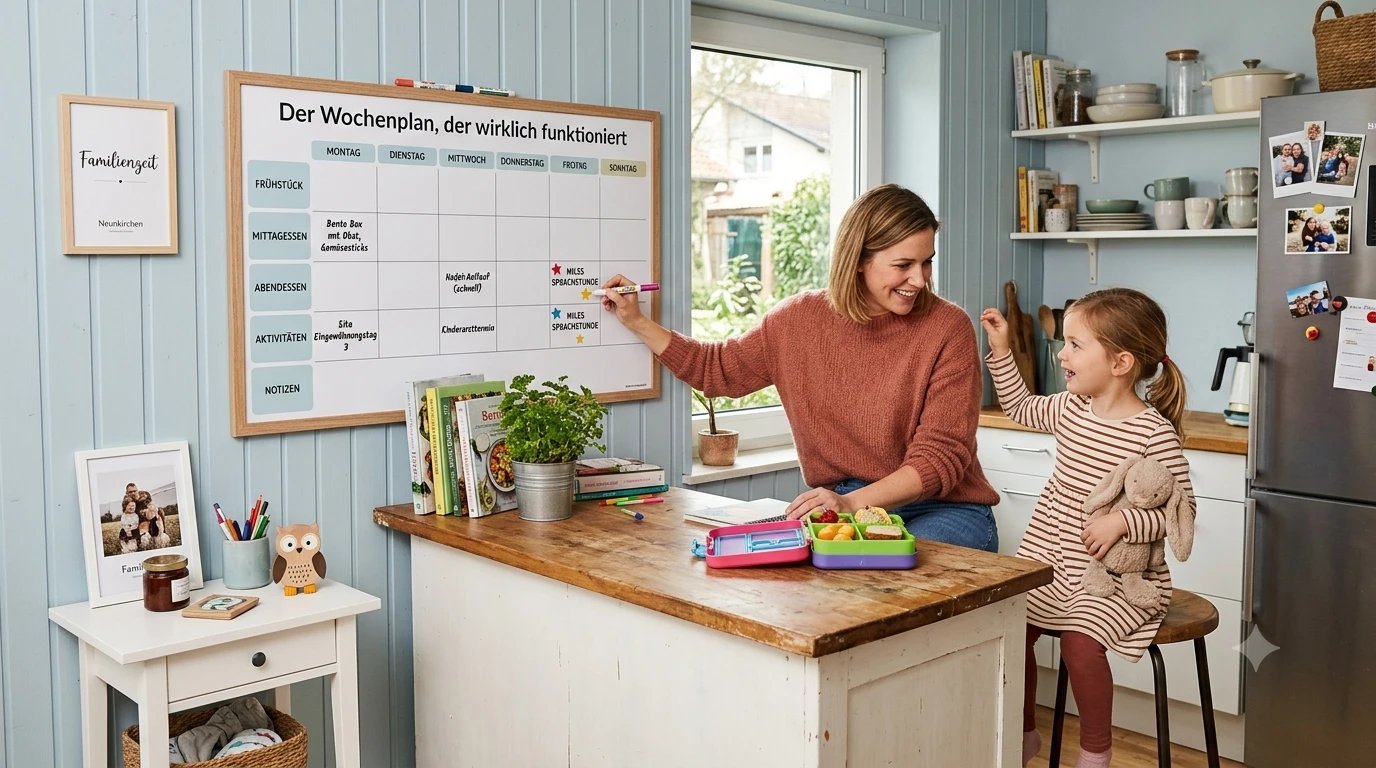
Color-code fixed points by child on the wall planner. This alone prevents the most common multi-kid planning failure: discovering two children have conflicting pickup times only on the morning it happens.
Involving kids in weekly planning by age
I'd argue this is the most overlooked part of the whole method, even though it costs nothing extra to include. A weekly plan that only the parents ever touch misses something: kids who see even part of how the week gets put together pick up, almost by osmosis, that time and schedules aren't just things that happen to them — they're something you can shape. How much a child can actually contribute depends heavily on age, and setting the expectation wrong causes more frustration than involvement usually solves.
Toddlers (ages 2–4)
At this age it's not about co-planning, it's about visibility. A toddler can recognize on a picture-based weekly planner which day means "swimming" or which day is a no-daycare day, even without reading, if symbols or photos stand in for text. The contribution you can realistically ask for is a simple either-or choice: should Wednesday's free hour go to the playground or to building blocks. That's enough to create a real sense of input without handing a toddler responsibility they can't cognitively carry yet.
Preschool and early elementary (ages 5–8)
Kids this age can start marking their own recurring fixed points on the wall planner themselves — a sticker for gym day, say — and increasingly understand why some days are fuller than others. One or two small, fixed tasks from the flexible zone can already be handed over, like packing a school bag for the next day or feeding a pet, as long as they're tied to a specific day rather than a vague "sometime this week."
Older elementary (ages 9–11)
From here, a child can actively take part in a scaled-down version of the Sunday ritual: naming their own fixed points for the week, roughly rating their own capacity ("Wednesday's full because of soccer practice"), and slotting one or two of their own flexible tasks onto a day that can hold them. This is the point where many families start giving a child their own small section on the wall planner instead of routing everything through a parent.
Tweens and teens (12 and up)
Older kids and teenagers benefit from real ownership of their own zone, buffer included. A teenager who learns to plan their own week with fixed points, flexible tasks, and deliberately open time carries that skill directly into further education and eventually work. With this age group, it's worth steering the conversation toward the capacity question rather than the bare schedule — not "what's on this week" but "how much can you actually take on this week alongside school."
The same principle applies across every age as it does for adults: a child whose week is booked at one hundred percent has exactly as little buffer as an overloaded adult, and often reacts to it in similar ways.
Seasonal adjustments: school terms, holidays, and shifting sports seasons
This is the part of the method I think gets underestimated most, myself included when I first started using it. The three-zone method is built as a weekly system, but the foundation it runs on — how many fixed points a week actually has — shifts substantially several times a year. A template that works perfectly in October can be completely wrong in the first week of a school holiday, because the number of fixed points roughly halves or doubles almost overnight.
Transitions between term time and holidays
During term time, most days are built around tightly packed fixed points: school hours, after-school care, set pickup times. Holidays remove most of that, which doesn't automatically translate into more capacity — often the load just shifts from "coordinate appointments" to "cover full-day childcare." Treat the switch between a term week and a holiday week as its own fresh build rather than a continuation of the same template: the capacity rating from step two of the Sunday ritual often reads completely differently in the first holiday week than it did the week before.
The first week after any transition — the first day back at school after a break, or the first day of a holiday — deserves deliberately more buffer than usual, because new routines (earlier wake-ups, new pickup times, a new schedule) create friction that week on their own, regardless of what else is going on.
Shifting sports seasons and activities
A second, often underestimated source of fixed-point chaos is the turnover between sports or activity seasons: the swim practice that ran on Tuesdays in spring can land on a completely different day or time once a new season starts in fall. The most common mistake here is keeping the old template and just scrawling the new fixed point in "somewhere," rather than re-rating the fixed-point zone for the affected days from scratch. A good moment to do that is the first Sunday of any new season: it's worth running the full fixed-points pass again instead of the usual shortened version of the ritual.
Public holidays and odd days off
Single days off scattered through the week — a public holiday, a teacher training day, a random school closure — deserve their own quick check, because they're easy to miss if you're only tracking "holiday, yes or no." A fixed point that suddenly disappears often changes that one day's capacity more than an entire holiday week does, precisely because it lands unannounced on a day that was otherwise fully booked.
A sample week, start to finish
Monday: high fixed-point load (full work day, evening swim lesson) → zero flexible tasks, one 30-minute buffer block. Tuesday: medium load → two flexible tasks (grocery order, one work follow-up), one buffer block. Wednesday: designated light day → no flexible tasks scheduled at all, just fixed points and generous buffer. Thursday: medium load → two flexible tasks, buffer block. Friday: high load (early pickup, weekend prep) → one flexible task only, larger buffer block since Fridays tend to run long. Across the week, roughly six to eight flexible tasks get done – fewer than a task list would have demanded, but every single one gets finished, because it was assigned to a day that could actually hold it.
Frequently Asked Questions
How long does it take before the three-zone method actually feels quick?
Most families need two to three weeks before the Sunday ritual genuinely takes fifteen minutes instead of thirty. The first few times feel slower because rating each day's capacity is still unfamiliar — that speeds up noticeably with repetition.
Do I need a digital display, or is paper enough?
Paper works perfectly well, as long as it hangs somewhere every family member actually walks past daily. The three-zone structure itself is tool-independent — it works with three colored pens on a sheet of paper just as well as with a wall display. A digital display mainly solves the problem of staying current through last-minute changes, but it's not a requirement for the method.
What do I do if a fixed point lands on a different day every week, like with shift work?
In that case, never skip the fixed-points pass of the Sunday ritual, even in weeks that otherwise look routine. A fixed template you copy week to week only works if the fixed points themselves are stable — which is exactly what shift work doesn't offer.
How do I deal with a task that keeps sliding onto next week's list?
A task pushed three or more weeks in a row usually isn't a capacity problem anymore — it's a sign it should be delegated, broken into smaller steps, or questioned altogether. Re-entering it week after week without asking that question just guarantees a permanent low-grade guilt about it.
At what age can a child actively take part in the weekly plan?
Simple input is possible even at toddler age, through picture symbols. Genuine, independent participation in fixed-points and task planning usually develops around early elementary age and grows more self-directed from there — see the age-by-age section above for specifics.
What if my partner doesn't buy into the system?
The easiest entry point is usually the most visible, lowest-effort piece: a shared wall planner for fixed points only, with zones two and three left out entirely. Once it's clear that this one shared view of the week actually cuts down on friction, the rest of the method tends to be an easier sell than trying to introduce the whole system at once.
How do I plan when the schedule keeps changing at short notice, like with a baby in the house?
In this stage of life, it's worth deliberately oversizing the buffer zone beyond what's described above, partly at the expense of the flexible-tasks zone. A weekly plan with a baby in the house needs to ask less of you, not more: a few genuinely important fixed points plus generous buffer beats a packed list almost every time.
Do I have to rebuild the whole method from scratch every week?
Recurring fixed points — school, work hours, standing activities — don't need to be reinvented every week once they're entered. What actually changes week to week is mostly the flexible zone and the capacity rating, which is why the Sunday ritual still earns its fifteen minutes even in weeks where the overall shape barely changes.
Bottom line
A weekly plan isn't a measure of how much you can cram into seven days – it's a tool for matching what needs to happen to the time and energy you genuinely have. The three-zone method takes fifteen minutes to set up and holds up precisely because it plans for the version of your week that actually happens, buffer and all, rather than the idealized one that rarely does. If I had to give one piece of advice from this entire guide, it's this: plan for the week you'll actually have, not the one you wish you had.
Save on Pinterest →
Comments